How to cull wedding photos faster (in minutes, not hours)
A wedding is 2,000 to 4,000 frames. Culling them by hand, one by one, is often the longest part of the edit: four or five hours before you even touch a slider. Most of that time goes on photos that are easy to throw away: the blurry ones, the closed eyes, the fifth frame of the same moment. Here is a workflow that gets you through a wedding much faster, in Lightroom Classic or with AI.
1. Cull before you import, or right after
The fewer photos Lightroom Classic has to build previews for, the faster everything gets. Cull the folder straight from the card, or import with Minimal or Embedded & Sidecar previews and cull in the Library before building 1:1 previews.
2. Throw away the obvious first
Do one quick pass only for the clear rejects: missed focus, closed eyes, test shots, the floor. In Lightroom Classic, press X to reject and use the right arrow to move on. Don't decide between good photos yet.
3. Group the bursts
Most of the time is spent comparing near-identical frames. Group them:
- In Lightroom Classic, Photo → Stacking → Auto-Stack by Capture Time puts frames taken seconds apart in one stack.
- Select a stack and press C (Compare) or N (Survey) to see them side by side, and keep only the best one or two.
4. Decide how many photos you will deliver
Having a number makes every decision faster: if you promised 500 photos, you are not choosing between good and bad, you are choosing the best of each moment. See how many photos to deliver.
5. Pick, don't just reject
Once the rejects are gone, press P on the keepers, then filter by picks. That filtered set is what you edit, and nothing else.
Or let AI do the first pass
SimplyShot culls a whole wedding on your computer, with no training: it checks focus on the eyes, closed eyes, similar shots and exposure, and keeps the best of each moment. You type how many photos you want to deliver, and every photo it leaves out tells you why.
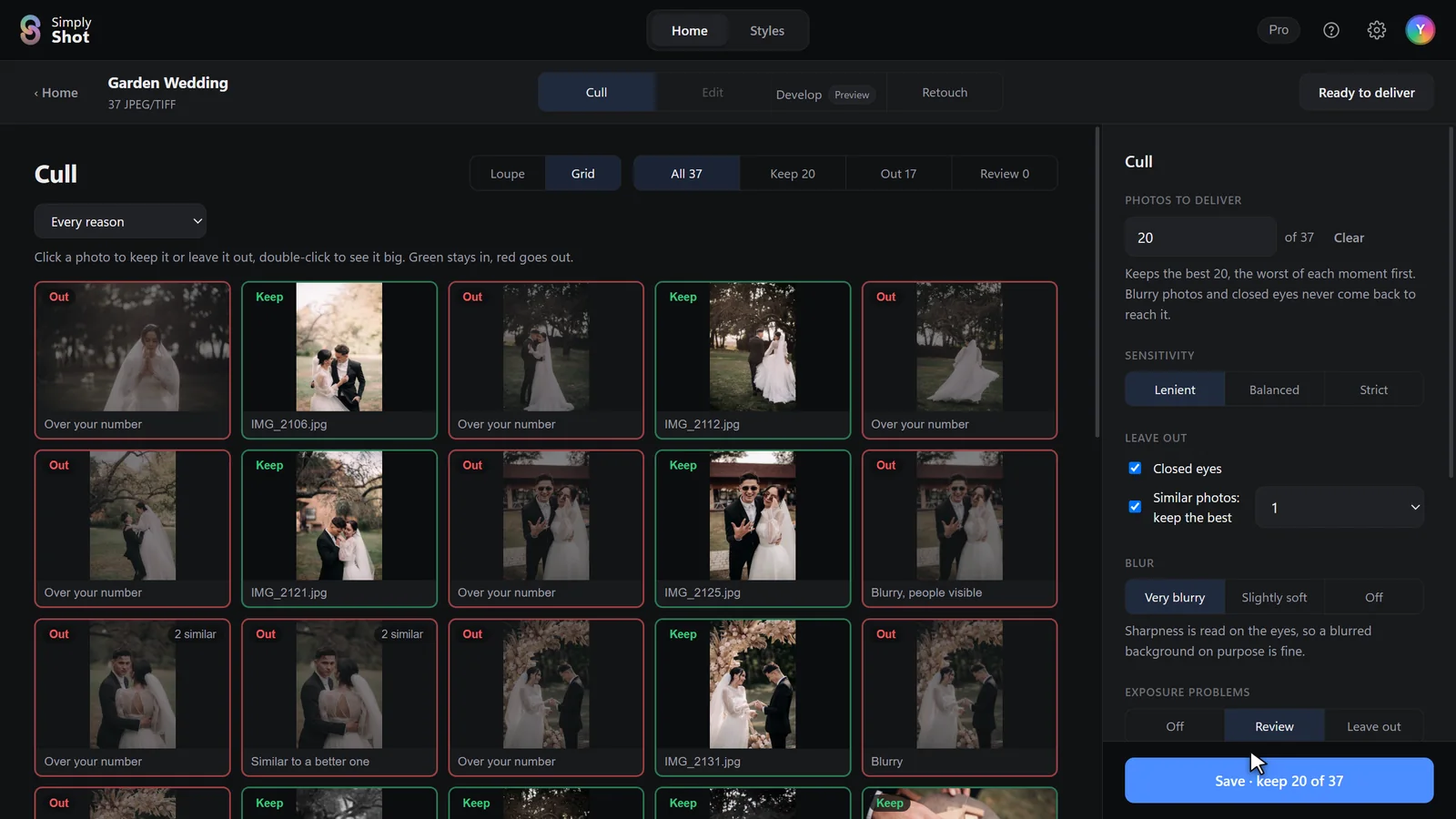
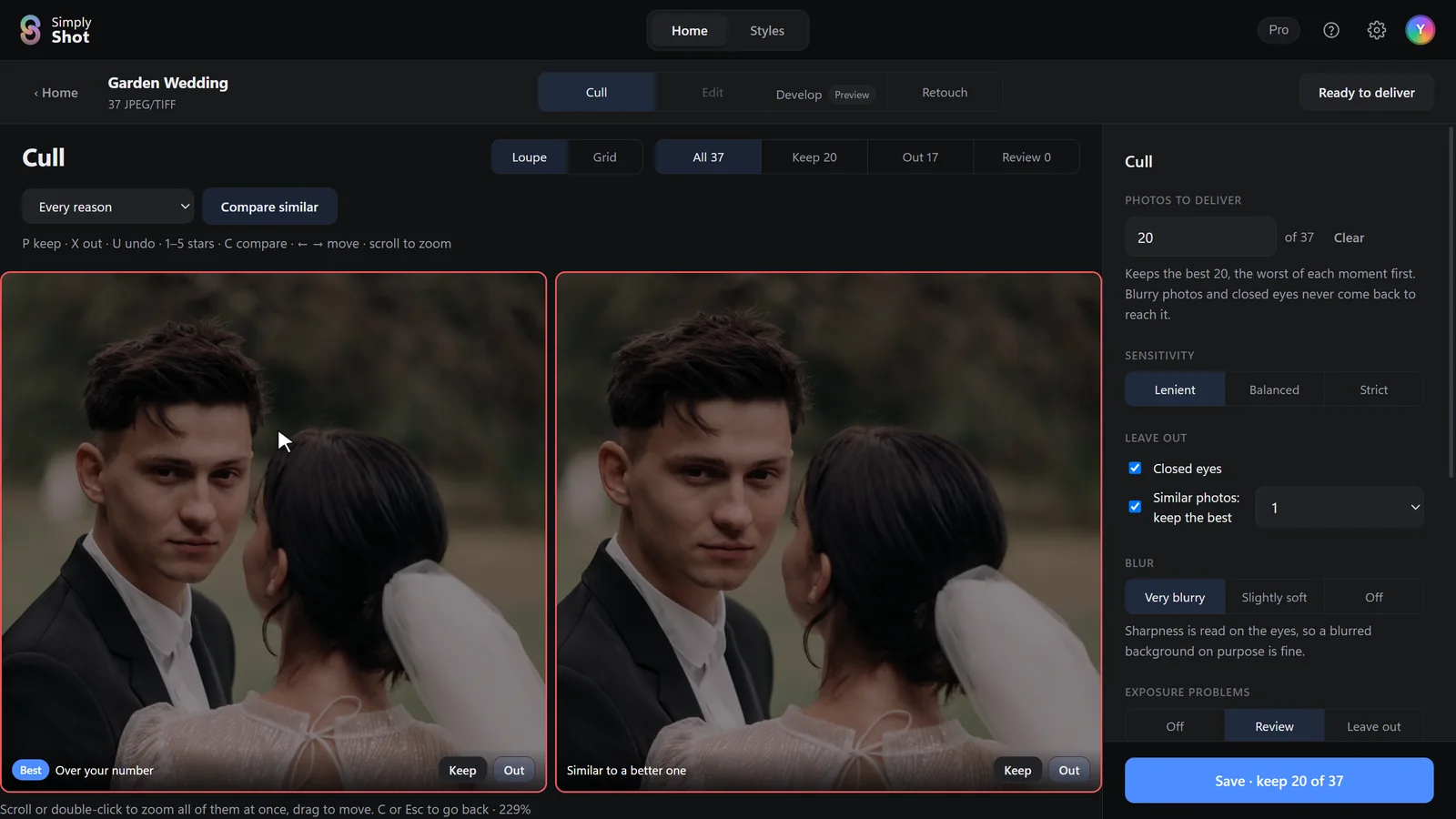
Then you review, not cull: compare similar shots side by side, zoomed in together, and change any decision with P and X, as in Lightroom Classic.
When you save, RAW photos get stars and a color label in their .xmp, which Lightroom Classic reads when you import. Then edit only your picks in your own style.
A realistic time budget
- Hand culling a 3,000-photo wedding: often 3 to 5 hours.
- With AI doing the first pass: minutes of analysis on your computer, then your review.
The time you save is the time you spend looking at near-identical frames.
Frequently asked questions
What is the fastest way to cull in Lightroom Classic?
Reject the obvious first with X, auto-stack bursts by capture time, compare stacks with C or N, then pick the keepers with P and filter by picks.
Should I cull before or after importing?
Either works. Culling first means fewer previews to build; culling in the Library keeps everything in one place. What matters is not editing photos you will not deliver.
Can AI cull a wedding without learning my picks?
Yes. SimplyShot's Cull works from the first shoot: it looks for the problems every photographer rejects (blur, closed eyes, repeats, bad exposure) and keeps the best of each moment. Your decisions are still final.