How to pick the best photo from a burst
Bursts save moments: the kiss, the toss of the bouquet, a child's laugh. They also leave you with ten nearly identical frames to choose from, again and again. Here is how to choose fast, and what to look at in each frame.
What to look at, in order
- Eyes in focus. Zoom in on the eyes of the main person. If they are soft, the frame is out, however good the rest is.
- Eyes open. Check every important face. A blink ruins an otherwise perfect frame.
- Expression. The real smile, the peak of the laugh, the moment just before the kiss.
- Motion. Hands and hair can blur; faces shouldn't.
- Composition. Nobody cut at the edge, no one blocking someone else.
- Exposure. Usually the same across a burst, but flashes misfire and clouds pass.
In Lightroom Classic
- Group the burst: Photo → Stacking → Auto-Stack by Capture Time with a gap of one or two seconds.
- Compare: select the frames and press N (Survey) to see them all, or C (Compare) for two at a time.
- Zoom on the eyes: in Compare, zoom in on one photo with Sync and both zoom to the same spot.
- Keep one or two: press P on the best, X on the rest.
Let Cull pre-pick the best
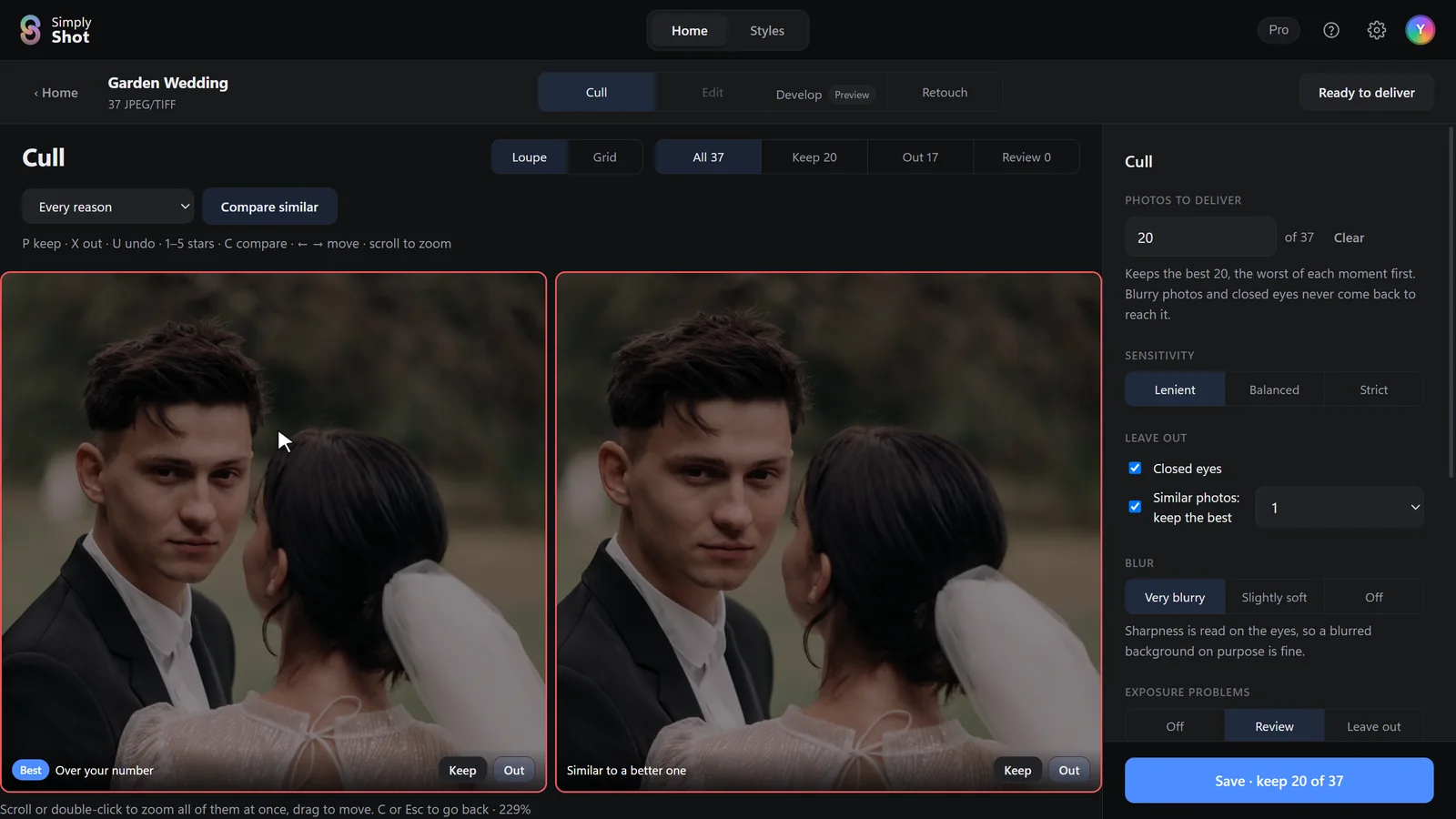
SimplyShot's Cull groups similar photos for you and keeps the best of each group: sharp eyes, open eyes, and if you like, the one where people smile. You choose whether to keep the best one, two or three of each group.
To check its choice, press C to compare the group side by side. Scroll to zoom and all the frames zoom together, on the same spot.
Frequently asked questions
How many photos from a burst should I keep?
Usually one, sometimes two if the expressions are really different. Clients see near-identical photos as repeats.
What is the fastest way to compare a burst?
Stack it, open Survey or Compare, zoom on the eyes with the views in sync, and decide with P and X.
Can software pick the best frame for me?
Yes. Cull groups similar frames and keeps the sharpest with open eyes; you review and change anything you want.