AI editing in your own style for Lightroom Classic
Presets give every photo the same settings. Your editing does not: you warm one room, cool another, lift the shadows on the backlit ones. Edit learns how you do it from the Lightroom Classic catalogs you already finished, and edits every new shoot photo by photo, the way you would. On your computer, written straight into your catalog.

 BeforeAfter

 BeforeAfter
How it works
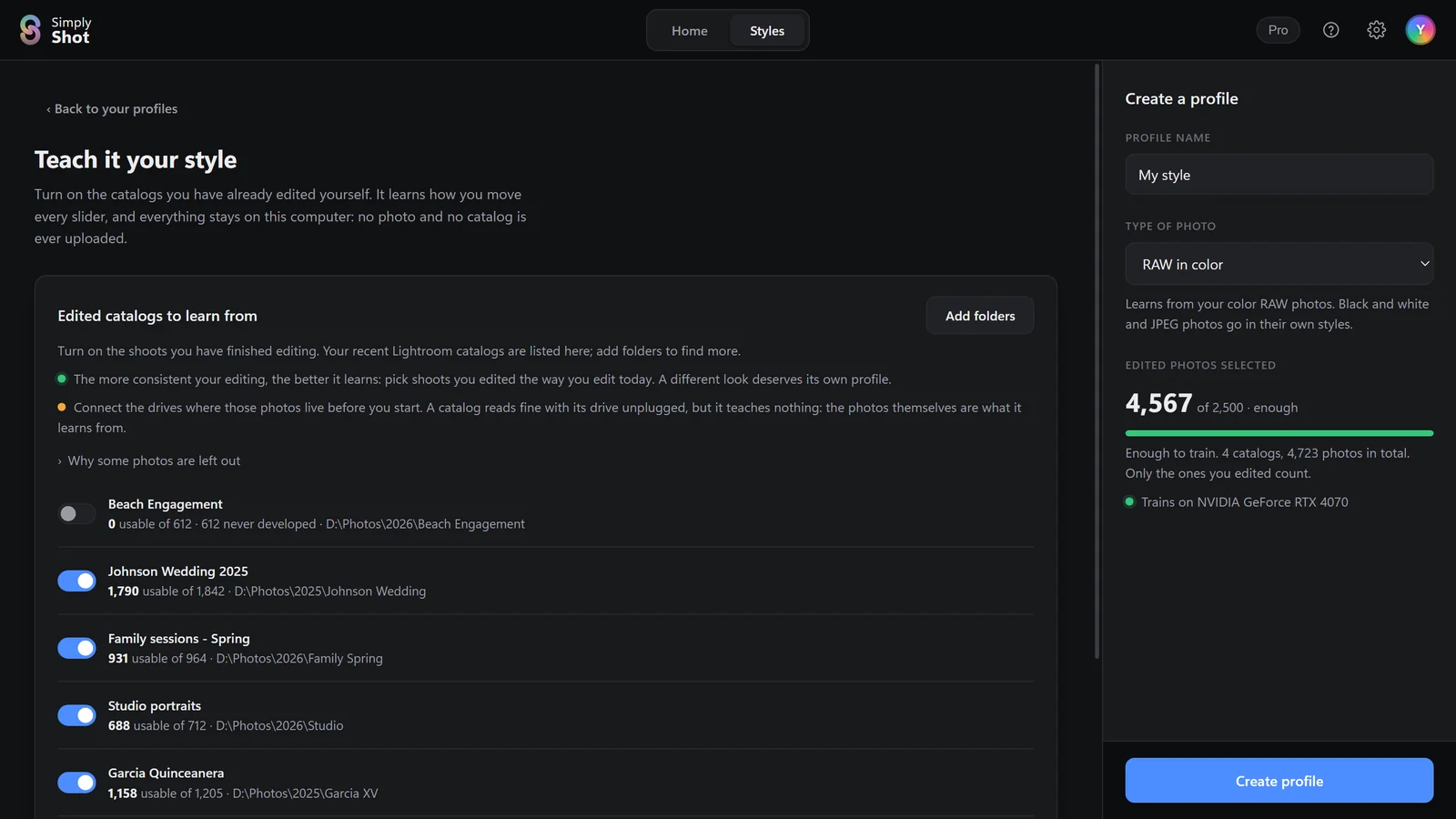
- Teach it once. Pick catalogs you already edited, about 2,500 edited photos in total, from one catalog or many. It learns how you set every slider for each kind of light and scene.
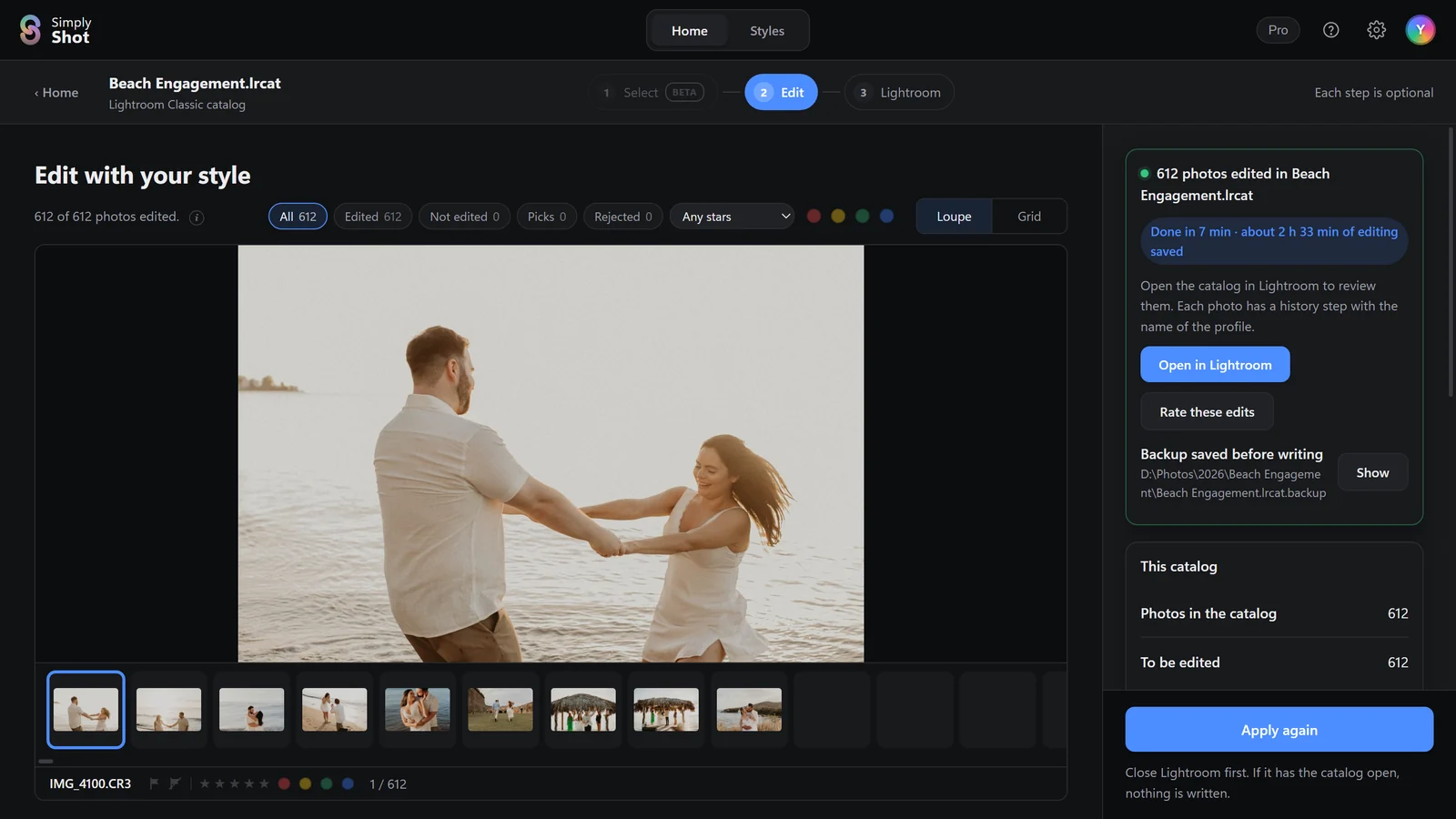
- Point it at a new shoot. Choose the catalog and which photos to edit: all of them, or only the ones you rated, flagged or labeled.
- Review in Lightroom Classic. Every photo has its own settings, as ordinary develop settings with a step in the history.
Why it's not a preset
- Every slider, per photo: exposure, white balance, tone, presence, color mixer, curves, detail and more.
- Your style, not someone else's. It only learns from the catalogs you give it.
- One style per look: keep one for weddings and another for portraits.
- Black and white too: a black and white style learns your black and white look, virtual copies included.
Safe for your catalogs
It only edits photos you have not developed yet, backs up the catalog before writing, and never changes the catalogs it learns from.
Frequently asked questions
How many photos does it need?
About 2,500 photos you edited yourself, from one catalog or several. The more consistent your editing, the better it learns.
Does it work with the cloud Lightroom or Capture One?
It works with Lightroom Classic catalogs (.lrcat). The cloud-based Lightroom and Capture One are not supported yet.
Are my photos uploaded to learn my style?
No. Learning and editing both run on your computer.