AI portrait retouching, person by person
Clients notice skin before anything else. Retouching every portrait of a session by hand takes hours; sending it out takes days. Retouch finds every face and every person in the photo and retouches skin, eyes, teeth, stray hairs and clothing, with different settings for each person if you want. On your computer, in seconds per photo.
How it works
- Open Retouch. Every photo of the shoot is already there (the keepers, if you culled), RAW or JPEG, with no exporting and no choosing first.
- Pick a style: Light, Natural or Strong, or one of your own.
- Fine-tune anything. Every slider shows the result on the photo.
- Save. Retouched photos go to SimplyShot › 3 Retouched, inside the photos' folder, with the original's name, RAW or JPEG. Your originals are never touched.
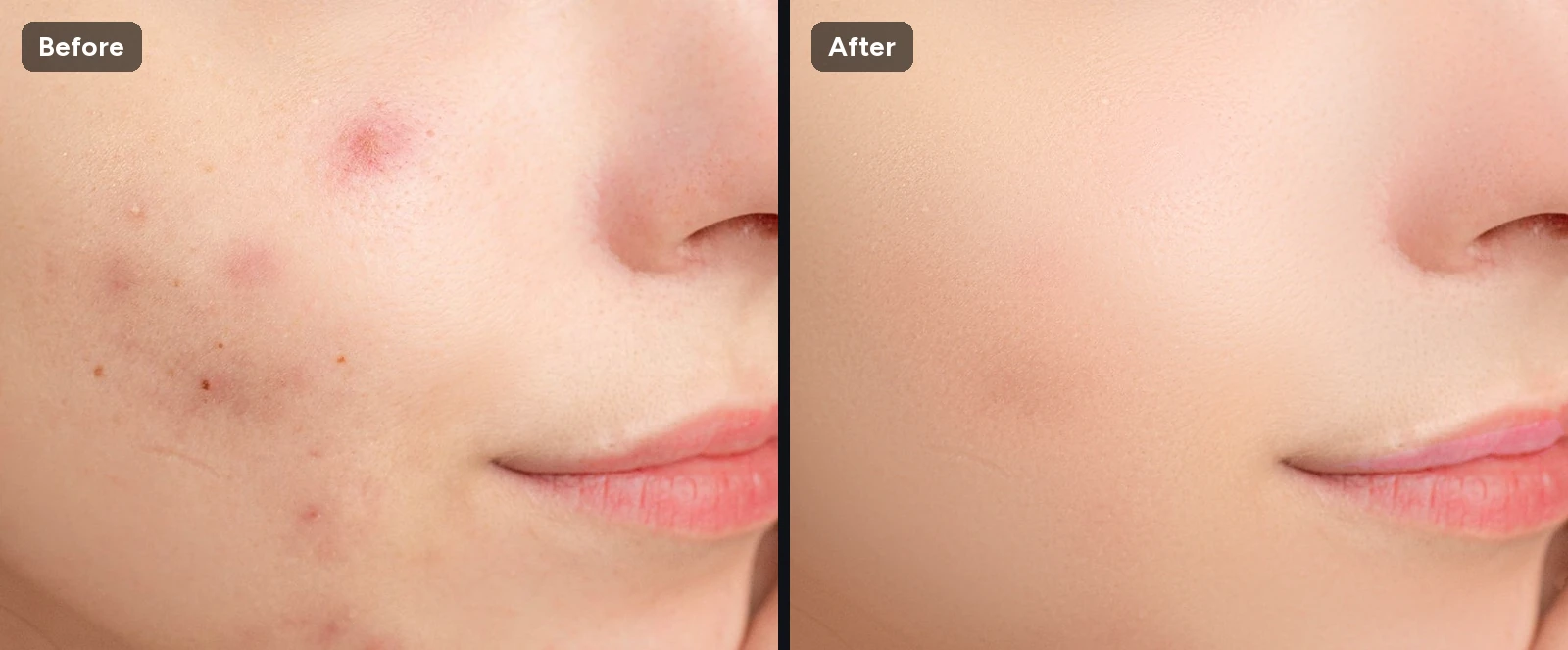
What it retouches
- Skin: smooth (keeps its pores and texture), blemishes, freckles, shine, brighten.
- Lines: forehead and smile lines.
- Eyes: brighten, dark circles, eye bags.
- Teeth: whiten and brighten. Nothing changes if the mouth is closed.
- Jawline: double chin, when the jawline is visible.
- Neck: smooth and brighten to match the face.
- Body: smooth skin on arms, shoulders and chest. Tattoos are kept.
- Hair: flyaways around the hairstyle.
- Clothing: small wrinkles and stains on plain fabric. Folds, prints, lace and seams are kept.
Person by person
In a group or a couple photo, choose who to retouch: everyone, only the main people, the faces you choose, or each person with their own settings. The bride gets one look, the groom another, in the same photo.
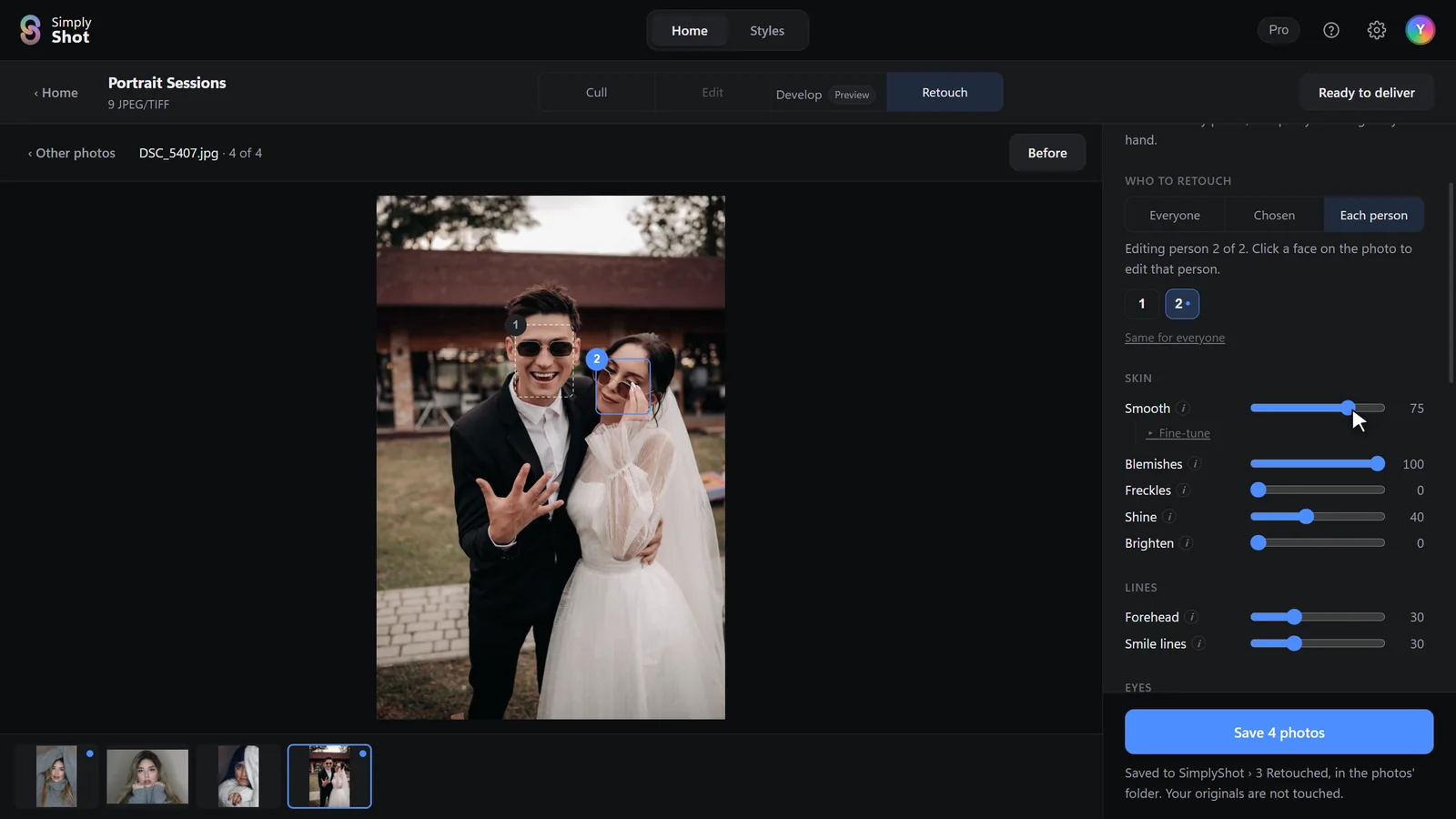
Straight from Lightroom Classic
Add SimplyShot as an Additional External Editor in Lightroom Classic's preferences. Then right-click a photo, choose Edit In and Edit a Copy with Lightroom Adjustments. Retouch it here, press Save to Lightroom, and the copy updates in your catalog.
Frequently asked questions
Will skin look plastic?
The smoothing evens the skin and keeps its pores. Use the Natural style, or lower Smooth, for a subtle result.
Does it work with RAW files?
Yes. RAW photos open with the edits you made in Edit and Develop; when you save, they are developed at full size and retouched.
Does it upload my photos?
No. Finding faces, people, hair and clothing, and every retouch, runs on your computer.
Can I save my own style?
Yes. Adjust the sliders and save them as a style to use on every session.
Start your free trial Download
Everything else it does
- Cull · Picks the keepers of a shoot in seconds. No training.
- Edit in your style · Learns your style from your catalogs and edits whole shoots.
- Develop · Sliders, AI remove, black and white, and export. In preview.