← News · Nov 7, 2026
SimplyShot 0.2: Cull, Develop and Retouch
Until now, SimplyShot did one thing: it learned how you edit in Lightroom Classic and edited your new shoots for you. Version 0.2 takes care of everything around that, too. Cull picks the keepers of a shoot in seconds. Develop lets you finish any photo right in the app. Retouch takes care of skin, eyes, teeth and more, person by person. And, like everything in SimplyShot, it all runs on your computer: your photos are never uploaded.
A new way to open a shoot
Open a folder of photos, or a Lightroom Classic catalog, and everything you can do with it is in one place: Cull, Edit, Develop and Retouch, side by side. Move from one to the other without losing your place.
- A folder of RAW photos can be culled, edited with your style, developed and retouched.
- A folder of JPEG or TIFF photos can be culled, developed and retouched.
- A Lightroom Classic catalog is edited with your style, as before.
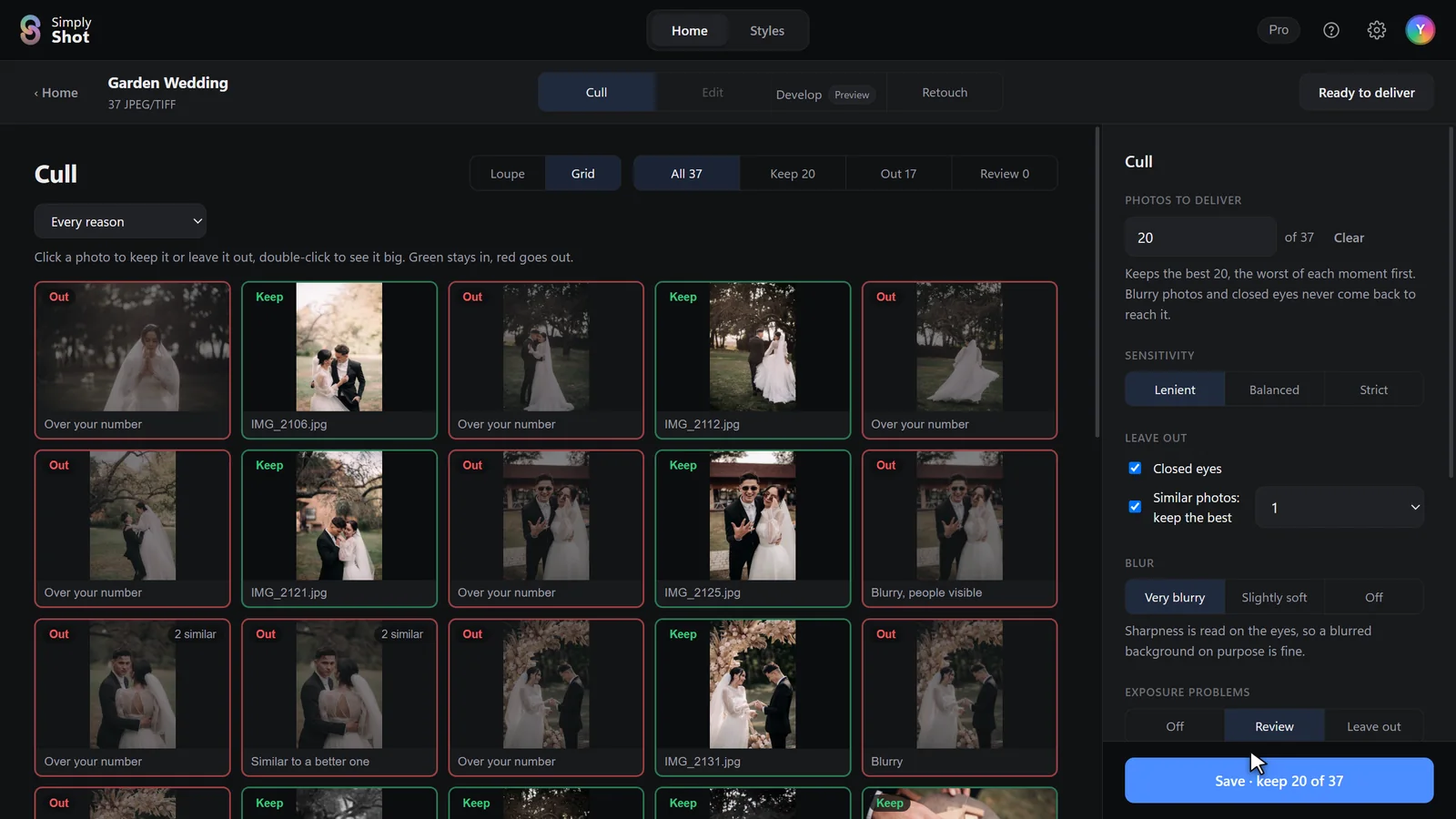
Cull: the keepers, in seconds, with no training
Cull looks at every photo of the shoot for focus on the eyes, closed eyes, similar shots and exposure, and keeps the best of each moment. Tell it how many photos you want to deliver, and it gets you there by cutting repeats first, so no scene disappears. Every photo left out tells you why, and you can compare similar shots side by side, zoomed in together.
It doesn't need to learn anything first: it works from your very first shoot. When you save, RAW photos get stars and a color label that Lightroom Classic reads on import.
Develop: finish any photo right here (preview)
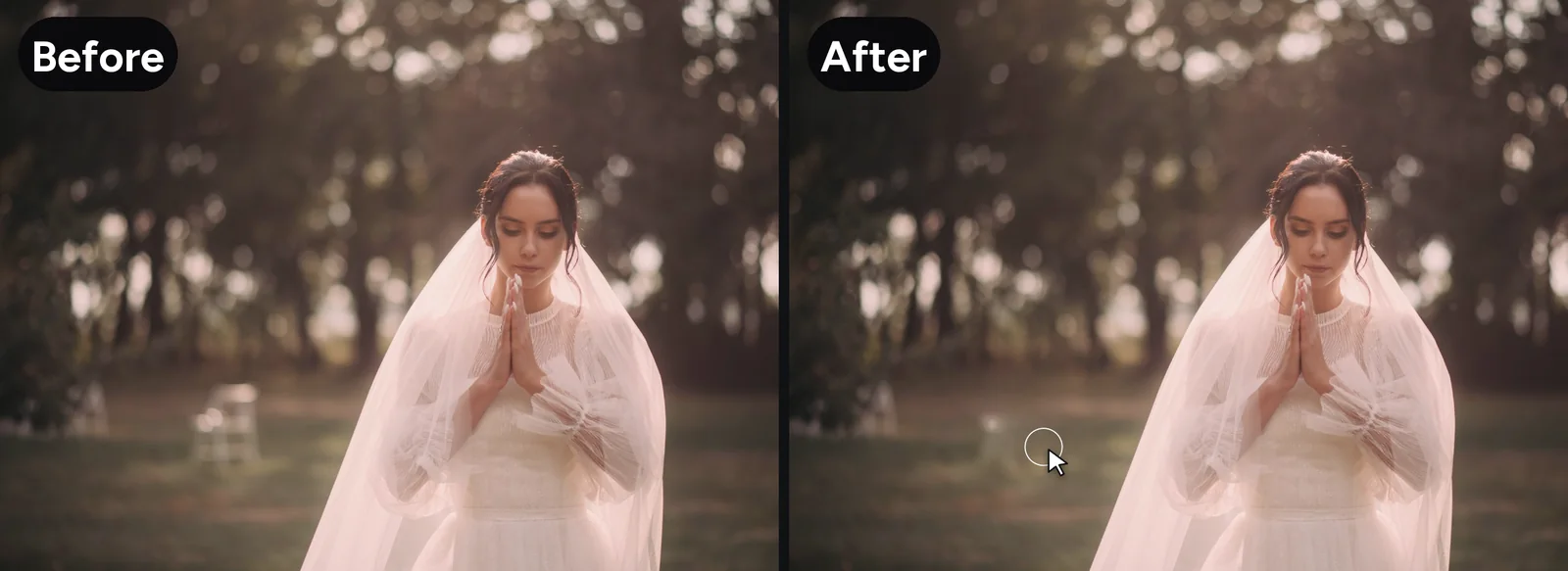
Develop has the panels you already know, from white balance and tone to curves, the color mixer, color grading, detail and lens vignetting, with every change on screen at once. Remove paints away a distraction and fills it in from what's around it. Make a black and white version with its own color mix, sync your settings to the whole shoot, and export JPEG, TIFF or PNG in sRGB, Adobe RGB or Display P3.
Develop is a preview: it is ready to use, and more tools are coming (masks, red eye and transform).
Retouch: person by person
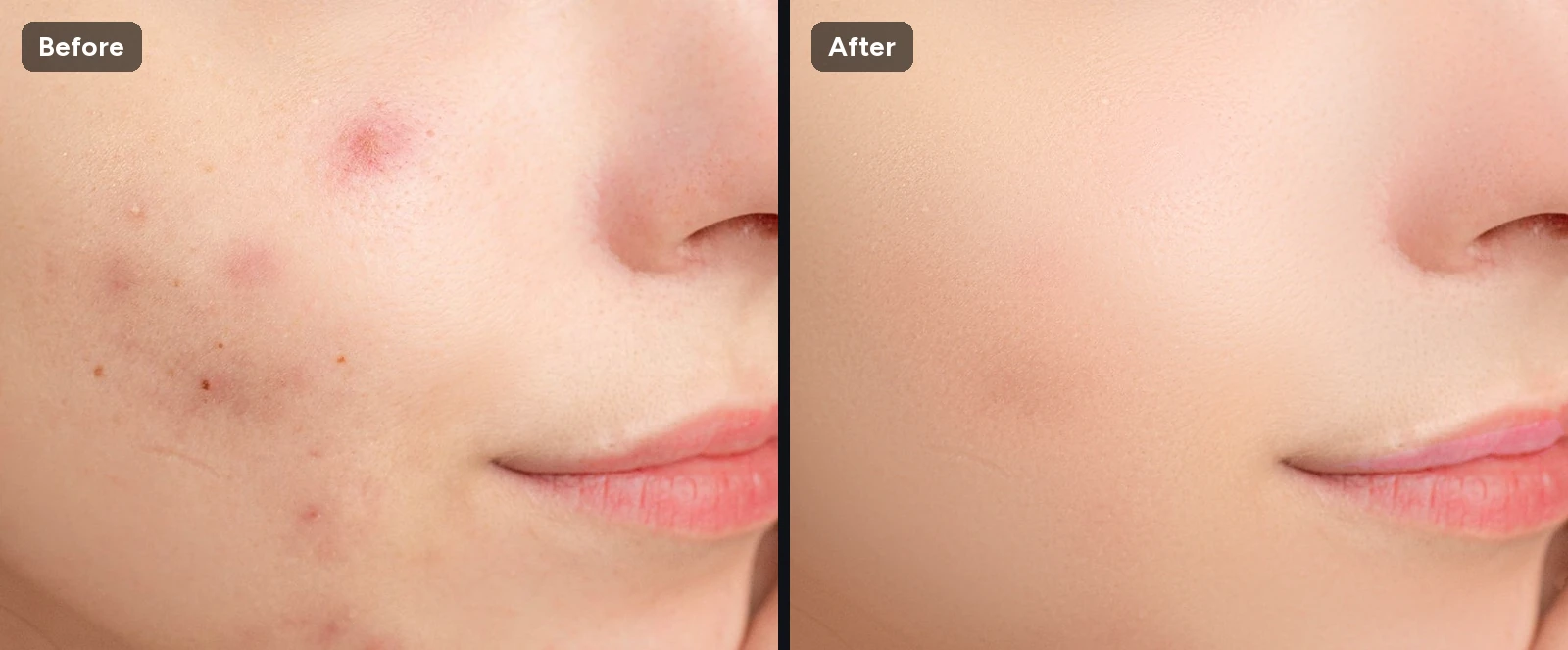
Retouch smooths skin while keeping its texture, removes blemishes, softens lines, brightens eyes, whitens teeth, tightens a double chin, removes flyaway hairs and smooths wrinkles in clothing. Start from a style (Light, Natural or Strong) or your own, and retouch everyone, only the main people, or each person their own way. Retouched photos go to their own folder, and your originals are never touched.
It also works straight from Lightroom Classic as an external editor: Edit In, retouch, Save to Lightroom.
Edit, as always
Edit is still the heart of SimplyShot: it learns your style from the Lightroom Classic catalogs you already edited and edits every new shoot the way you would. In 0.2 you can also see the edited photos right in the app, developed with the settings it wrote, before you open Lightroom Classic.
Everything in one folder, ready to deliver
What SimplyShot makes stays inside the folder you opened, in one SimplyShot folder numbered in the order you work, so you always know where to look:
- 1 Not selected: the JPEG and TIFF photos Cull left out (RAW files never move). Bring them back returns them.
- 2 Developed: what you export from Develop.
- 3 Retouched: every retouched photo, from a RAW or a JPEG.
- 4 Ready to deliver: the final version of every photo you kept, with its original name.
Ready to deliver builds that last folder in one click: for each photo you kept, the retouched version if there is one, if not the one from Develop, and if not, the photo developed at full size. Nothing is ever overwritten, and your originals stay exactly where they were.
Colors much closer to Lightroom
Develop now starts from the Adobe Standard profile of your camera that is already installed on your computer with Lightroom Classic or the DNG Converter, the same starting point Lightroom uses. White balance, Calibration, Color Grading and split toning, tone, saturation and vibrance now behave much more naturally. Warm indoor light, and styles that use Calibration or warm split toning, no longer come out yellow.
Faster, smoother Develop
- Photos open in Develop in well under a second, and moving a slider redraws the photo about twice as fast.
- Remove keeps what it filled: reopening a photo is instant instead of filling it in again, and filling in is about four times faster.
- Sync works like Lightroom: select photos with Ctrl+click or Shift+click and the photo you are on stays the one whose settings are synced. Auto Sync is a small switch next to Sync.
- Grain now looks on screen the way it exports.
Know when it's done, and how much time you saved
Creating a style and editing a shoot show a new progress window: what is happening now, in plain words, the time left and how much editing time it saves you. When it finishes you get an email with how long it took and the editing time you saved (you can turn it off in Settings).
Also in this version
- Photos open faster everywhere, with previews kept between sessions.
- Exports carry the camera data (EXIF) and the right color profile.
- Retouch always uses the photo as it is in Develop, even after you change it.
How to get it
If you have SimplyShot, the app tells you when 0.2 is ready. If you don't, download it and start your free trial.